Explore the idea yourself, or follow the ready-to-use Windows app.
BUILD IT YOURSELF
Start with the prompts.
Free starter sample
Get a sample prompt and a short guide through Lemon Squeezy to create your own expense tracker. You provide the AI tool, review the generated code, and handle setup.
Plain-text file you can read before using
Starter brief and step-by-step workflow
Free access through Lemon Squeezy with your email
This is a test starter pack, not the original development conversation or a finished app. AI tools may have their own costs; results can vary.
READY-TO-USE APP
Skip the build process.
CAD $10one-time purchase
The planned paid edition will include a Windows installer and a getting-started guide.
Buy through Lemon Squeezy checkout.
Download the installer after payment.
Run the installer, then open the app from its shortcut.
Supported Windows versions, release contents, and update terms will be confirmed before sales open.
PROJECT IN DEVELOPMENT
Expense Tracker.
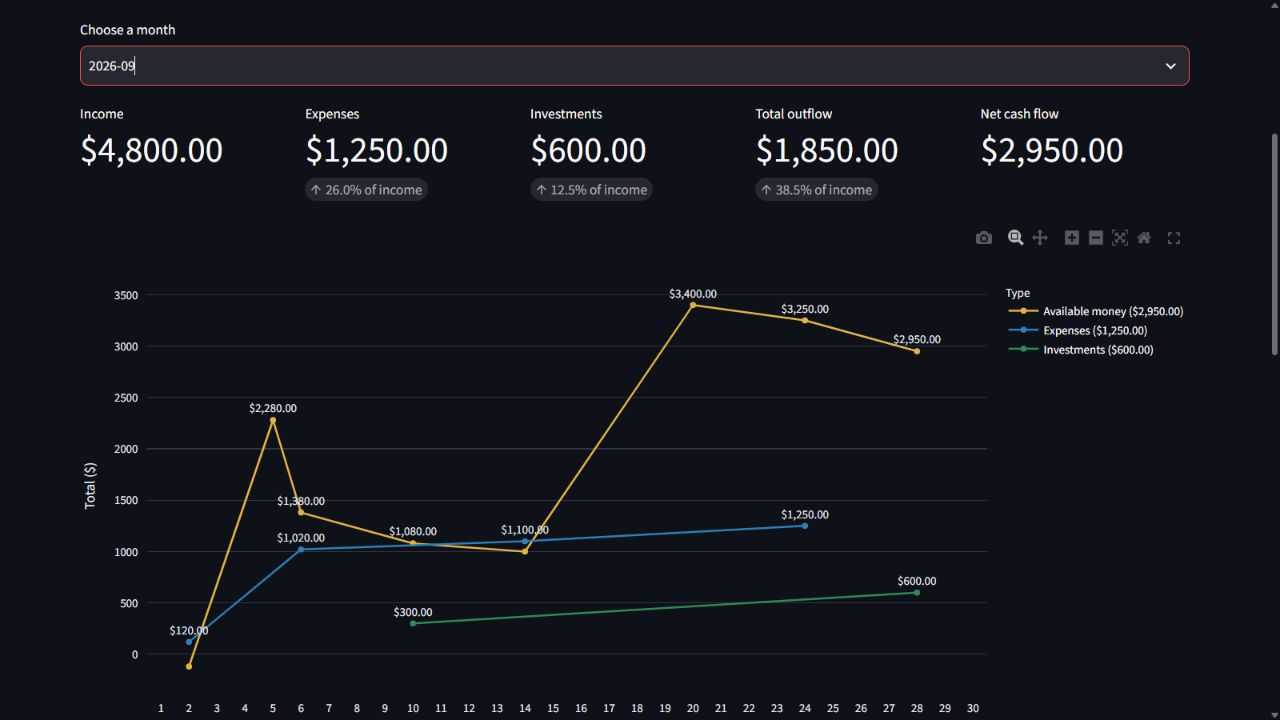
A working local app for recording income, expenses, and investments, managing recurring entries, exploring monthly and annual charts, and running Monte Carlo simulations to explore possible retirement outcomes. Financial records stay in a local SQLite database; this page uses fictional examples only.
AvailableFinanceProductivity
Graphs1 / 4
STATUSAvailable
CATEGORIESFinance · Productivity
BUILT WITHPython · Streamlit · SQLite · Plotly
AVAILABILITYNo public download yet
THE IDEA
A question worth exploring.
Your financial picture can get scattered across accounts, spreadsheets, and everyday purchases. A personal dashboard can make trends easier to see.
A working local app for recording income, expenses, and investments, managing recurring entries, exploring monthly and annual charts, and running Monte Carlo simulations to explore possible retirement outcomes. Financial records stay in a local SQLite database; this page uses fictional examples only.
✳A NOTE ON THIS PROJECT
A working local application under continued development. The screenshots show the real app running with invented demo data and are not connected to a personal account. A public installer is not available yet.
IN THE WORKSHOP
Inside the project.
Features and directions shaping this project.
01Income, expenses, and investment tracking
02Recurring monthly entries and shared expenses
03Monthly and annual charts
04Automatic local database backups
05Retirement projections and Monte Carlo simulations